Skip to content

Features

One workspace for remote support and service operations

VeyraDesk brings your customers, their sites and devices, your support team and every ticket into one place — with secure, authorised remote access built in.

Core features

Fast Remote Support

Connect to customer devices quickly and resolve issues remotely.

  • Start a session from the device list or straight from a ticket
  • Attended mode: the user approves each request on screen
  • Unattended mode with a fresh one-time password per session
Secure Access

Secure sign-in and controlled, authorised access for your support team.

  • Every remote session is authorised by VeyraDesk before it starts
  • Sessions are time-limited and can be revoked
  • Revoked devices are blocked from new sessions immediately

Customer Management

Organise customers and the sites you support for each of them.

  • Customer records with short reference codes
  • Each customer’s sites, devices and tickets kept together
  • Deactivate customers without losing their history

Team & User Management

Manage the users on your support team, their roles and what they can access.

  • Owner, Admin, Technician and Staff roles
  • Add team members, reset passwords and deactivate accounts
  • Administrative actions limited to the right roles

Agent & Device Management

See every supported device, where it is and whether it is online.

  • Online, offline and last-seen status from the VeyraDesk Agent
  • Choose attended or unattended access per device
  • Lightweight agent for Windows computers

Ticket Management

Track support requests from the first report through to resolution.

  • Open, in progress, waiting for customer, resolved and closed
  • Priorities, assignment, replies and internal notes
  • Full ticket history, with remote sessions linked to the ticket

Audit & Activity

Keep visibility of support activity and administrative actions.

  • Sign-ins, remote sessions and ticket changes are recorded
  • Customer, site and device changes are logged
  • A clear trail for internal reviews

Multi-Site Support

Manage many customer locations from one workspace.

  • Branches, offices and outlets as separate sites
  • Devices organised under the site they belong to
  • One dashboard across every customer and location

At a glance

Know what needs attention

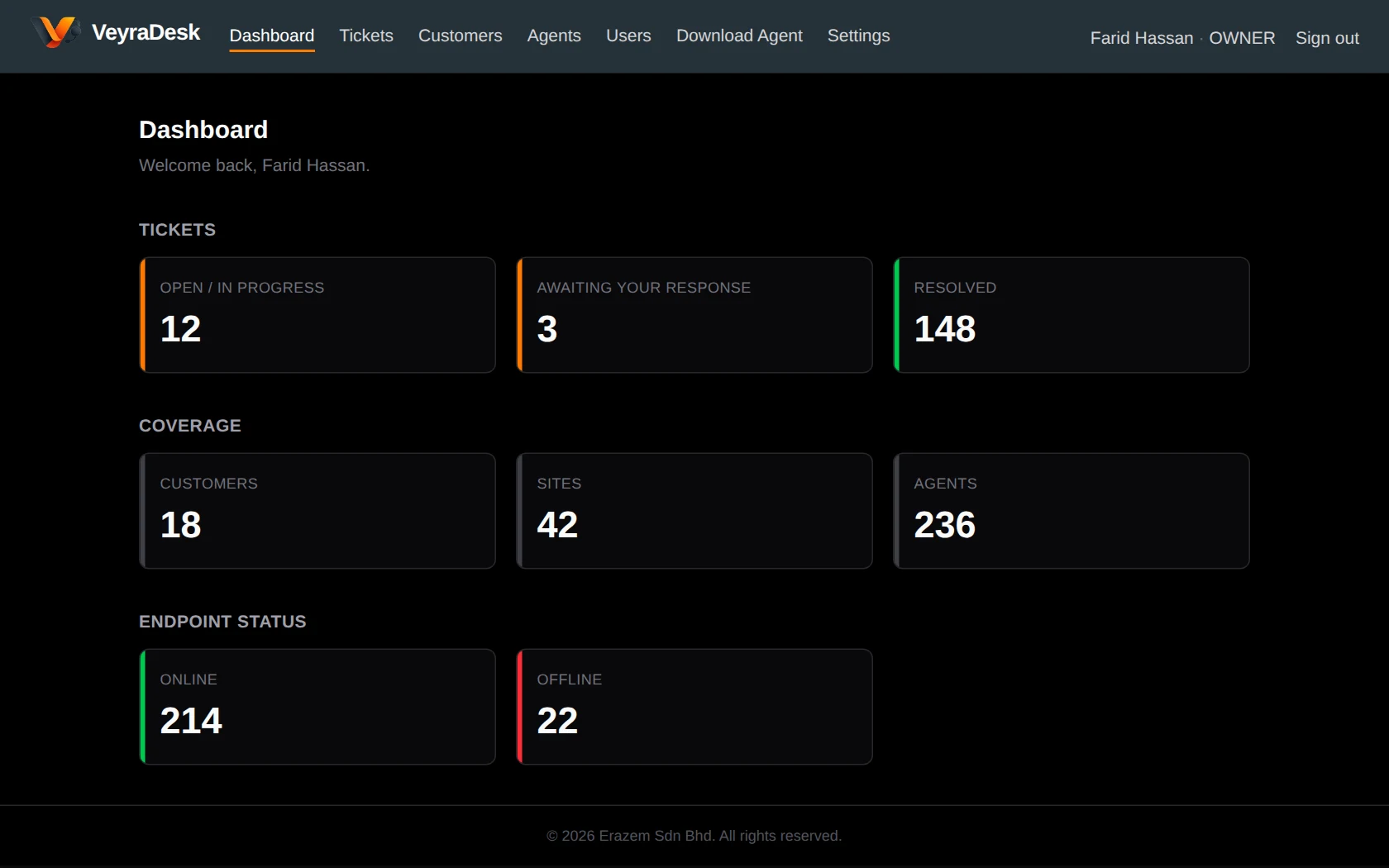
The dashboard shows open tickets, requests awaiting your response, resolved work, and how many of your customers’ devices are online or offline — based on live data from your workspace.

VeyraDesk dashboard showing ticket counts, customers, sites, and online and offline endpoints

Organised by customer

Customers, sites and devices — in the right place

Keep each customer’s branches and outlets as separate sites, with devices registered to the site they belong to. Technicians always know exactly which machine they are supporting.

VeyraDesk customer list

Also included

Built to fit into how you work

Simple device onboarding

Download a ready-to-run installer for a site. Each installer carries a time-limited enrolment token, so new devices register to the right customer and site automatically.

API & webhooks

Connect VeyraDesk to your other business systems with a REST API and signed webhooks for ticket status updates.

Your team uses VeyraDesk in a web browser; the VeyraDesk Agent currently runs on Windows computers.

Help your clients better

Deliver faster support with VeyraDesk

Start on the Free plan — no credit card required — and bring your customers, sites, devices and tickets into one workspace.

  • Fewer on-site visits
  • Authorised, time-limited sessions
  • Every customer and site in one place
  • Built for support teams